
Photorealistic vs stylized rendering comes down to the decision the image must support: photorealistic 3D exterior rendering uses physically based materials, global illumination, and calibrated camera optics to simulate a built outcome for sales, financing, and entitlement, while stylized rendering applies non-photorealistic rendering (NPR) techniques such as simplified materials, graphic lighting, and illustrative color to communicate massing, concept, and brand character. Choose photorealism when buyers, lenders, or planning boards must believe the building already exists, and choose stylization when the design is still evolving, the audience needs clarity over realism, or the brand story matters more than material accuracy. Most developers get the strongest return from a hybrid pipeline that stylizes early concept visuals and then escalates to photorealistic renders once the design locks.
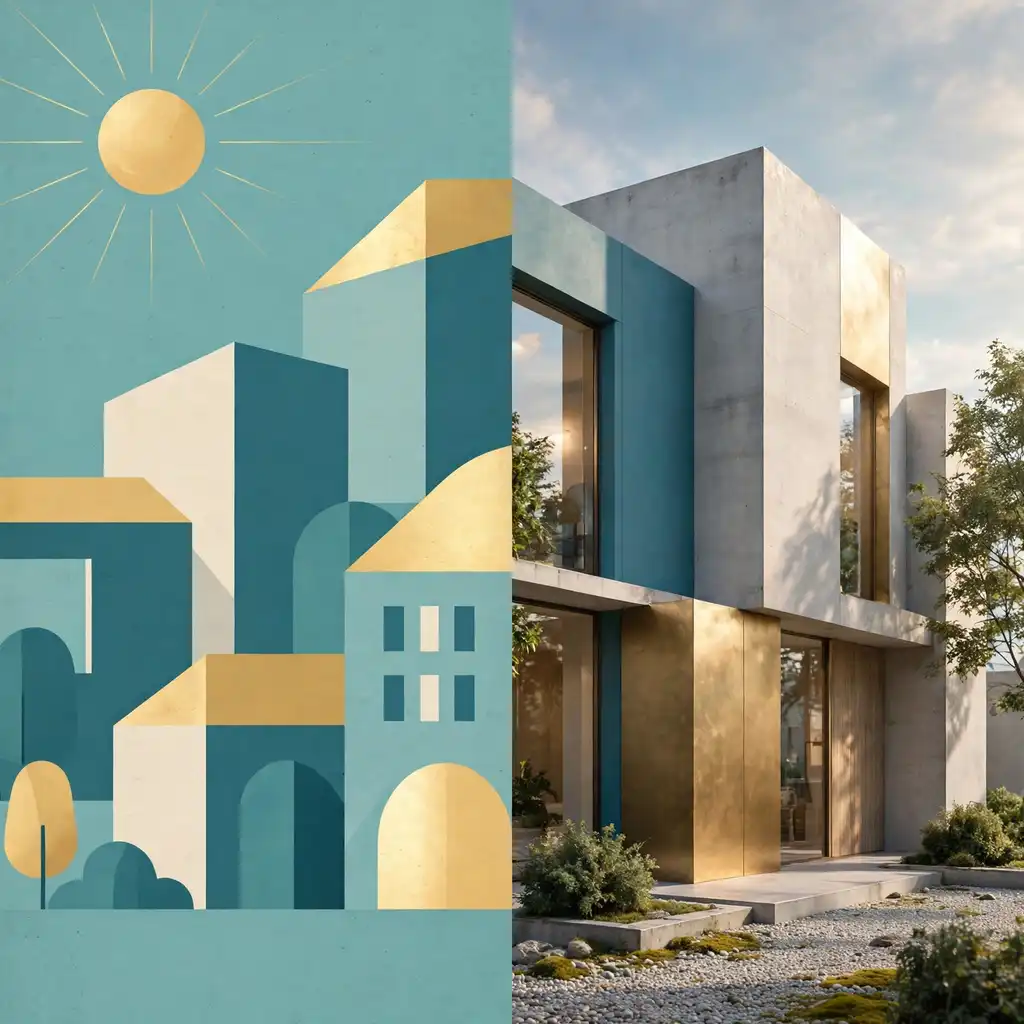

Every project needs the right visual language at the right moment, and that is exactly what our physically based 3D exterior rendering services are built to deliver for residential, commercial, and mixed-use developments.
Quick Answer: Photorealistic vs Stylized Rendering at a Glance
Short on time? Use this quick answer to match the visual style to your goal.

Choose photorealistic rendering when:
- Buyers, tenants, or investors need to trust that the finished building will look as shown.
- Lenders, planning boards, or homeowners’ associations will review the image as evidence.
- The design is locked, and materials, massing, and landscaping are final.
- The image will represent the property in paid ads, brochures, or a sales gallery.
Choose stylized rendering when:
- The design is still changing from week to week.
- The goal is to explain an idea rather than prove a finish.
- The audience needs clarity, such as at a public workshop or a competition review.
- Your brand voice or neighborhood story matters more than exact material accuracy.
Choose a hybrid pipeline when:
- The project moves from concept through entitlement to pre-sales, and each phase has a different audience.
Now let’s look at each approach in detail, so you can make the call with confidence.
What Is Photorealistic 3D Exterior Rendering?
Photorealistic 3D exterior rendering is the process of creating images of a building, landscape, and site context that look like professional architectural photography. It achieves that result by simulating real-world light, physically accurate materials, and true camera optics inside a 3D scene. In other words, the viewer should forget that a computer produced the image.

Photorealism is not about adding more detail. Instead, it is about making every detail consistent. A convincing render depends on correct shadows, believable reflections, accurate scale, and restrained post-production.
The Technical Building Blocks of Photorealistic Exterior Renders
A realistic image is the sum of several technical decisions. Each one needs to be right, because the eye notices a single weak link.
- Physically based rendering (PBR) materials: Brick, glass, metal, stone, and timber respond to light the way real surfaces do, including roughness, reflectivity, and subtle variation.
- Global illumination: Path tracing calculates how light bounces between surfaces. As a result, shadows transition softly and colors bleed naturally.
- Sun and sky accuracy: A geolocated sun position and an HDRI sky dome set the true time of day, season, and mood.
- Camera calibration: Focal length, eye-level height, exposure, and depth of field mirror the choices of a real architectural photographer.
- Context and entourage: Landscaping, vehicles, neighboring buildings, and people anchor the design in a believable place.
- Post-production: Color grading, atmospheric depth, and lens effects finish the image without hiding flaws.
What Photorealism Does Best
Photorealistic renders remove doubt. When a buyer can picture the front door, the stone cladding, and the evening light, the purchase feels less risky.
Here are the strengths that matter most to developers:
- Believability: The image reads as a promise about the finished building.
- Material decision support: Teams can compare brick tones, window frames, and roof finishes before ordering anything.
- Emotional connection: Warm lighting, lived-in details, and quality landscaping help buyers imagine daily life.
- Marketing reuse: One hero image can serve websites, signage, brochures, social ads, and investor decks.
Where Photorealism Falls Short
However, realism has real costs, and you should weigh them before you commit.
- Higher investment: Detailed modeling, lighting tests, and long render times take more hours.
- Slower revisions: A fully detailed scene is harder to change, so late design edits cost more.
- False precision: A very realistic image can make an unfinished design look final, which invites premature debate about minor details.
- Expectation risk: If the built result differs from the render, trust drops quickly.
What Is Stylized 3D Exterior Rendering?
Stylized 3D exterior rendering is a visualization approach that deliberately departs from photographic realism to communicate an idea more clearly or with a distinct character. Specialists often call this family of techniques non-photorealistic rendering (NPR). The image still starts from an accurate 3D model, but the final look is simplified, graphic, or illustrative on purpose.

Stylization is a design decision, not a shortcut. A strong stylized image controls what the viewer notices and what they ignore.
Common Stylized Rendering Approaches
Several stylized looks appear again and again in exterior visualization:
- Clay or white-model renders: Neutral, single-tone surfaces focus attention on form, massing, and shadow.
- Illustrative watercolor or marker looks: Soft edges and painterly color convey atmosphere and invite emotion.
- Flat graphic or vector looks: Bold shapes and limited palettes suit brand-led marketing and wayfinding.
- Toon or cel-shaded NPR: Hard-edged shading and ink outlines create a distinctive, memorable image.
- Sketch-overlay hybrids: A clean 3D base gains hand-drawn lines, which signals that the design is still open to feedback.
- Diagrammatic and axonometric views: Cutaways and exploded views explain program, circulation, and phasing.
What Stylization Does Best
Stylized visuals shine when clarity, speed, or personality matters more than realism.
- Conceptual clarity: Simplified surfaces reduce visual noise, so viewers focus on the big idea.
- Faster iteration: Fewer details mean quicker changes, which helps design teams test more options.
- Honest unfinished feel: A stylized image signals “this is a proposal,” which invites constructive feedback instead of nitpicking.
- Brand differentiation: A consistent illustrative style makes a development memorable in a crowded market.
Where Stylization Falls Short
Nevertheless, stylization is not right for every audience.
- Lower buyer trust at the point of sale: Some buyers read an illustrative image as vague or unfinished.
- Weaker proof for lenders and boards: Decision makers often want evidence of finishes and context.
- Style inconsistency: Mixing several stylized looks across one campaign can weaken the brand.
- Perceived quality gap: A rushed stylized image can look cheaper than a polished photoreal one.
Photorealistic vs Stylized Rendering: Side-by-Side Comparison
The table below summarizes the practical differences. Use it as a reference when you brief your visualization studio.
| Factor | Photorealistic Rendering | Stylized Rendering |
|---|---|---|
| Primary goal | Prove and sell a believable outcome | Explain an idea or express a brand |
| Best audience | Buyers, tenants, lenders, planning boards | Design teams, stakeholders, community workshops, juries |
| Ideal project stage | Locked design, entitlement, pre-sales, marketing | Concept, schematic design, competitions, early engagement |
| Level of detail | High: facade joints, glazing, landscaping, context | Low to medium: massing, key features, mood |
| Material accuracy | Essential | Optional or simplified |
| Emotional tone | Aspirational and lifelike | Expressive, artistic, or conceptual |
| Revision flexibility | Lower once the scene is detailed | Higher, especially in early phases |
| Relative cost and time | Higher | Lower |
| Main risk | Looks final too early; false precision | Looks vague or unfinished to buyers |
| Typical channels | Sales galleries, ads, brochures, websites, signage | Pitch decks, workshops, presentations, social posts |
As the table shows, neither style is “better.” Each one solves a different problem.
When to Choose Photorealistic Rendering

Photorealism earns its higher cost when someone must trust the image enough to act on it. Consider the following situations.
Pre-Sales and Lease-Up Campaigns
Buyers who commit before construction rely entirely on images. Therefore, believable renders reduce hesitation and support faster reservations. For a deeper look at this use case, read our guide on how renderings power real estate pre-sales campaigns.
In this stage, photorealism should show the real design: correct facade, accurate landscaping, and realistic neighbors. Anything less invites doubt.
Financing, Investor Decks, and Board Presentations
Lenders and investors want to see what their capital will build. A photorealistic exterior shows quality, positioning, and market fit in a single glance. Furthermore, it demonstrates that your team has resolved the design well enough to move forward.
Planning Approvals and Community Hearings
Public hearings often hinge on whether neighbors can picture the proposal in context. Planning professionals, including those represented by the American Planning Association, increasingly rely on visualization to help communities understand proposed development.
Accuracy matters more than drama here. A photorealistic render that respects true heights, setbacks, and sight lines builds credibility, while an exaggerated one damages it.
Marketing Sites, Signage, and Hero Imagery
Your website, hoardings, and ads work harder with photoreal imagery. In addition, many teams now compare this option with traditional photography. If you are weighing the two, review our ROI analysis of 3D exterior rendering vs architectural photography before you plan the shoot.
Material and Finish Decisions
Photorealistic renders also help internal teams decide. Seeing three brick tones under real afternoon light is far more useful than reading a sample board. Consequently, teams catch costly finish mistakes before procurement.
When to Choose Stylized Rendering
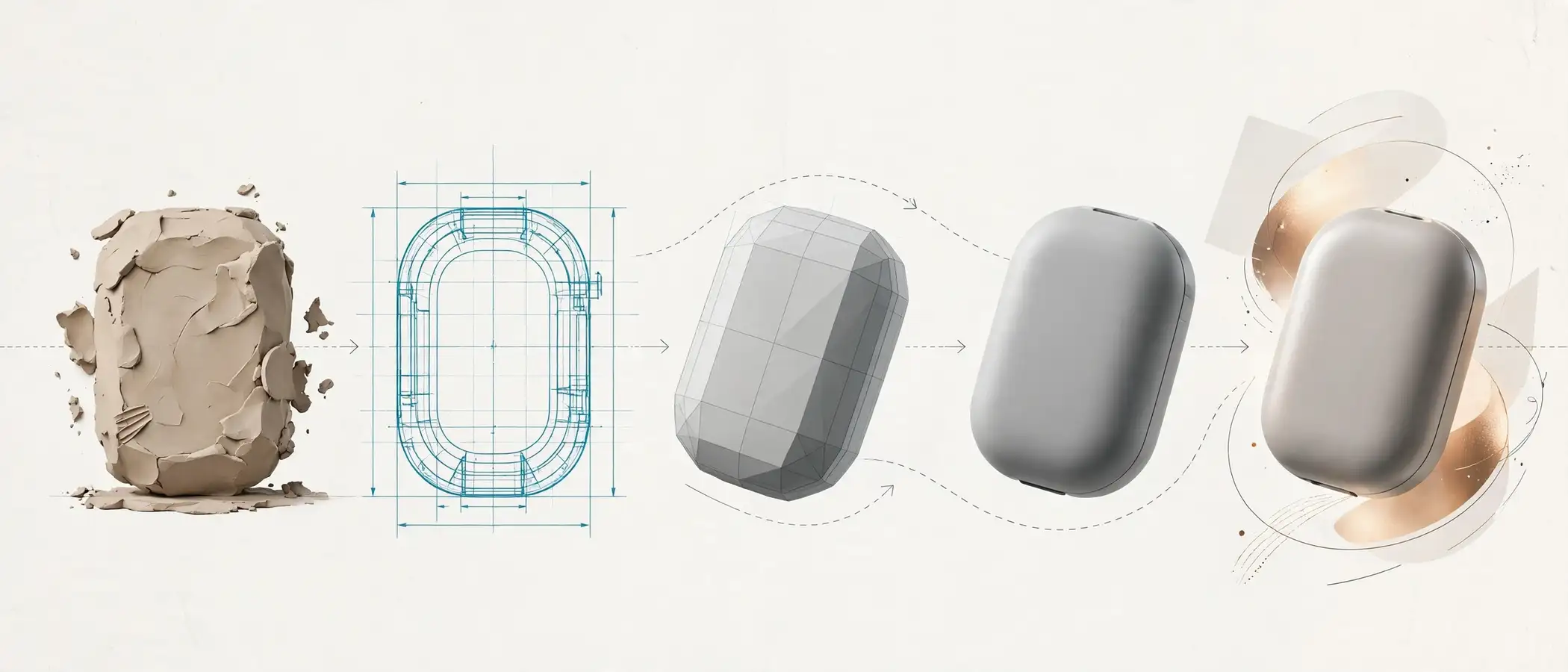
Stylization wins when speed, clarity, or character matters more than realism. Here are the strongest use cases.
Early Concept and Massing Studies
At the concept stage, the design changes daily. A clay or sketch-style render keeps the conversation on form, scale, and street relationship. Meanwhile, you avoid paying for finishes that may disappear next week.
Competitions and Design Pitches
Juries often see dozens of photoreal images that look alike. A distinctive stylized approach helps your entry stand out, provided the idea behind it is strong. Moreover, it lets you show vision without over-committing to unresolved details.
Public Engagement Workshops
Community workshops invite feedback on big questions, such as height, use, and open space. A stylized image signals that the proposal is still flexible. As a result, residents tend to discuss the idea rather than debate the exact color of a window frame.
Brand-Led and Lifestyle Marketing
Some developments sell a lifestyle more than a building. In those cases, an illustrative style can carry the brand across signage, social posts, and campaign sites. Consistency is the key: pick one look and apply it everywhere.
Fast Iteration and AI-Assisted Exploration
Design teams increasingly generate quick style studies with generative tools. This workflow suits exploration well, but it needs careful oversight for accuracy. Our overview of AI-assisted exterior rendering and how it is reshaping design explains where these tools help and where human control still matters.
Which Rendering Style Fits Each Project Stage and Audience?
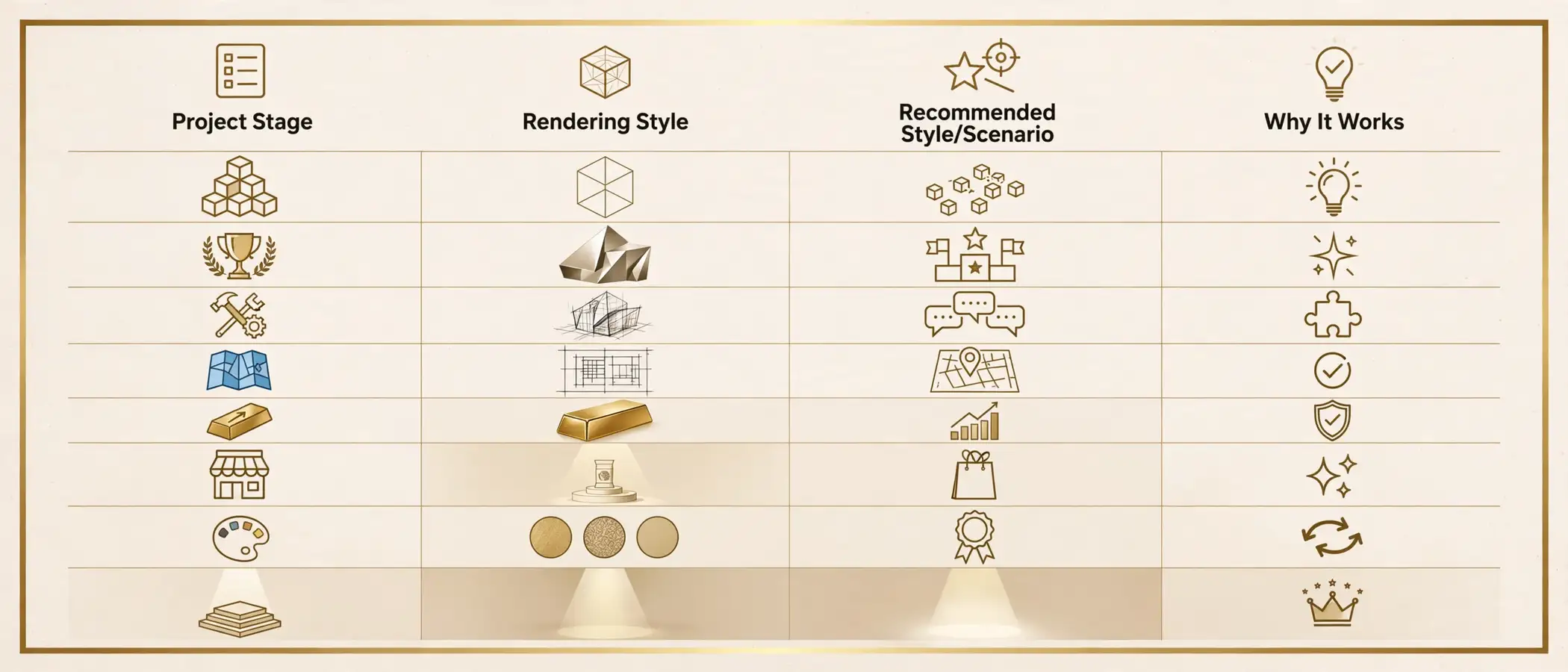
The right answer depends on who is looking and what they must decide. Use this decision table as a starting point.
| Scenario | Recommended Style | Why It Works |
|---|---|---|
| Initial massing study for internal review | Stylized (clay or sketch) | Fast, flexible, and focused on form |
| Architectural competition entry | Stylized or hybrid | Distinctive and idea-driven |
| Community workshop or town hall | Stylized, then photoreal for final hearing | Invites feedback, then builds trust |
| Planning submission or zoning review | Photorealistic (accurate and conservative) | Shows true context and scale |
| Investor or lender presentation | Photorealistic | Demonstrates quality and certainty |
| Pre-sales campaign or sales gallery | Photorealistic | Reduces buyer doubt |
| Brand-led lifestyle campaign | Stylized or hybrid | Builds a memorable identity |
| Material and finish selection | Photorealistic | Shows real light on real surfaces |
| Phasing or master plan explanation | Stylized (axonometric or diagrammatic) | Explains program clearly |
| Website hero and paid advertising | Photorealistic | Matches buyer expectations |
The Hybrid Approach: Stylize Early, Escalate to Photorealism
Many successful developments use both styles. Instead of choosing once, they match the style to each phase of the project. This approach protects budget and keeps the message consistent.

A Practical Hybrid Pipeline
- Concept phase: Use clay or sketch renders to test massing, orientation, and street presence.
- Schematic design: Add light materials and context while keeping a stylized look, so feedback stays focused on design.
- Entitlement phase: Move to accurate, conservative photorealistic views that show true scale and setbacks.
- Pre-sales and marketing: Commission a small set of polished hero images with full lighting, landscaping, and lifestyle details.
- Construction marketing: Update key views as the design evolves, and add seasonal or time-of-day variations.
Why the Hybrid Pipeline Works
- It saves money: You avoid paying for photoreal detail on designs that will change.
- It reduces rework: Early feedback arrives before the model is expensive to change.
- It builds a visual story: Audiences see the project mature over time.
- It keeps one model alive: The same 3D base supports every style, which keeps geometry consistent.
For a broader look at how design and development teams apply renderings across project phases, see this resource on how architects and developers use 3D exterior renderings.
Cost, Timeline, and Revision Impact

Style choice changes both the budget and the schedule. Although every project differs, the general pattern is consistent.
| Cost or Schedule Factor | Photorealistic Rendering | Stylized Rendering |
|---|---|---|
| Modeling detail | High: accurate facade, glazing, and site details | Low to medium: massing and key features |
| Material and lighting setup | Extensive PBR shaders and lighting tests | Simplified shaders or graphic treatments |
| Render time | Longer, with high-sample path tracing | Shorter |
| Post-production | Detailed color grading and atmosphere | Light, stylistic finishing |
| Revision cost | Higher once the scene is detailed | Lower, especially early |
| Best use of budget | Fewer, high-impact hero views | More options and angles |
Here is the practical takeaway: spend more on a small number of photoreal hero views, and spend less on many stylized exploration views. For a full breakdown of what drives price, read our 3D exterior rendering cost and price guide.
Tools and Techniques Behind Each Style
Understanding the technology helps you ask better questions and set realistic expectations.
Photorealistic Rendering Engines
Photorealism relies on physically based light simulation. Engines such as Chaos V-Ray calculate how light travels and interacts with materials, which produces natural reflections, refractions, and shadows. Different engines suit different workflows, so you can compare options in our guide to the best rendering engines for exterior architectural visualization.
Stylized and Non-Photorealistic Tools
Stylized work uses a different toolkit. For example, line-rendering tools such as the Freestyle renderer in Blender can generate ink-style outlines on a 3D model. Artists then combine those outputs with paint-over techniques, custom shaders, and graphic color grading to reach the final look.
In practice, studios often start from the same 3D model and branch into either style. That shared foundation is what makes the hybrid pipeline efficient.
Step-by-Step: How to Choose Between Photorealistic vs Stylized Rendering

Follow these seven steps to make a confident decision.
- Define the decision the image must support. Ask whether the image will help someone buy, approve, fund, or simply understand.
- Identify the audience. Buyers, lenders, planning boards, and designers each respond to different visual signals.
- Check the design status. If major elements may still change, lean toward stylized renders.
- Confirm the level of proof required. Anything used as evidence needs accurate, photoreal context.
- Set the budget by view, not by project. Decide how many hero images you need and how many exploration views you can afford.
- Pick one visual language per channel. Avoid mixing styles within a single campaign unless the phase change is clear.
- Plan the upgrade path. Ask your studio to build the model so that stylized views can later become photoreal without starting over.
Common Mistakes When Choosing a Rendering Style

Even experienced teams stumble here. Watch for these frequent errors.
- Going photoreal too early: Teams pay for polish, then change the design, and then pay again.
- Staying stylized too long: Buyers and lenders may read the image as vague, which slows decisions.
- Mixing styles randomly: A campaign that jumps between watercolor, clay, and photoreal looks unplanned.
- Over-polishing public hearing images: Dramatic lighting or idealized landscaping can feel manipulative to neighbors.
- Ignoring context: Both styles need accurate scale and site relationships, or trust suffers.
- Choosing by taste instead of audience: The style you love may not be the style your buyer trusts.
- Briefing too vaguely: Without clear goals, the studio must guess, and revisions multiply.
Expert Tips From Studio Workflow Experience

In our studio workflow, a few habits consistently improve results regardless of style.
- Lock the camera early. Agree on views before heavy detail work begins, because camera changes are among the costliest revisions.
- Reuse the same model. Build once and branch into stylized or photoreal outputs to keep geometry consistent.
- Match the style to the sales stage. Use photoreal for the final trust-building moment, and stylized for the exploration moment.
- Keep entourage believable. People, vehicles, and plants should fit the neighborhood and the season.
- Show the real light. Choose a time of day that flatters the facade, but stay honest about orientation.
- Provide a visual reference board. A few reference images communicate style faster than a long written brief.
- Review in grayscale first. If composition and lighting work without color, the final image usually works with color.
- Plan for mobile. Most buyers view images on phones, so test that key details stay legible on a small screen.
How to Brief Your Studio for Either Style

A strong brief saves time and money. Prepare the following before your kickoff call:
- Project goal and audience: State who will see the image and what action you want.
- Design files: Share CAD, BIM, or SketchUp models, plus elevations and site plans.
- Material schedule: List finishes, colors, and manufacturer references.
- Landscape and context: Provide planting plans, neighboring heights, and site photos.
- Style references: Share two or three images that capture the mood you want.
- Deliverables list: Specify view count, resolution, file formats, and delivery dates.
- Usage rights and channels: Note where the images will appear, such as web, print, or signage.
Suggested Visual Elements for This Article
If you want to extend the article with more visuals, consider the following ideas:
- Slider comparison: An interactive before-and-after slider that toggles one design between photoreal and stylized.
- Material close-up panel: A crop showing the same facade detail in both styles.
- Process screenshot: A viewport screenshot of a clay model beside the final photoreal output.
- Checklist graphic: A downloadable one-page “Which style do I need?” checklist.
FAQ: Photorealistic vs Stylized Rendering

What is the main difference between photorealistic vs stylized rendering?
Photorealistic rendering simulates real light, materials, and camera behavior so an image looks like a photograph of the finished building. Stylized rendering simplifies or reinterprets the scene, using graphic, illustrative, or conceptual treatments to communicate an idea or brand. In short, photorealism proves an outcome, while stylization explains a concept.
Which is better for real estate pre-sales: photorealistic or stylized rendering?
Photorealistic rendering is usually better for pre-sales, because buyers need to trust what they will receive. Realistic lighting, accurate materials, and believable landscaping reduce hesitation. Stylized images can still support early awareness campaigns, but they rarely replace photoreal images at the point of purchase.
Is stylized rendering cheaper than photorealistic rendering?
Generally, yes. Stylized work needs less modeling detail, simpler materials, and shorter render times. However, a highly crafted illustrative style can still require significant artistic effort, so the savings depend on the look you choose.
Can I start with stylized renders and upgrade to photorealistic later?
Yes, and many developers do exactly that. When your studio builds a clean, well-organized 3D model from the start, the same geometry can support clay concepts today and photoreal hero images later. This is the core idea behind a hybrid pipeline.
Do planning boards prefer photorealistic or stylized renders?
Planning boards tend to value accuracy and context over artistic effect. Photorealistic renders that respect true heights, setbacks, and sight lines usually build more credibility. Stylized images can work for early engagement, but formal submissions generally benefit from conservative, realistic views.
How does AI change the choice between photorealistic vs stylized rendering?
AI tools make quick style exploration faster and cheaper, especially for concept work. Nevertheless, they can introduce inaccuracies in scale, materials, and geometry. For this reason, many teams use AI for early ideas and rely on controlled, model-based renders for anything that serves as evidence or marketing proof.
How do I know if my render is too stylized or too realistic for my audience?
Ask what the viewer must do after seeing the image. If they must trust, approve, or purchase, push toward realism. If they must react, discuss, or imagine, push toward stylization. Testing both versions with a small group of stakeholders can also reveal which one works better.
Conclusion: Match the Style to the Decision
Choosing between photorealistic vs stylized rendering is not a matter of taste. It is a matter of timing, audience, and proof. Photorealism builds trust when money, approvals, or reservations are on the line, while stylization drives clarity and feedback when the design is still open.

To recap, use stylized visuals to explore and align early, switch to photorealistic renders as the design locks, and keep one consistent 3D model behind both. Following this approach protects your budget, speeds up decisions, and strengthens your brand story at every stage.
Ready to turn your design into visuals that win approvals and sell units? Start your exterior rendering project and move from concept to sold faster with a studio that understands both styles and knows when to use each.